Keyboard
The default editor keyboard can be used at runtime in XR. In desktop and mobile mode, focusing an engine DOM input does not open the engine keyboard.
Opt-in DOM inputs
Set data-xr-keyboard="auto" on an editable engine DOM input or textarea to
open the engine keyboard when it receives focus during XR. Use
inputmode="decimal", inputmode="numeric", or type="number" to choose the
numpad. Unmarked, disabled, and readonly fields do not open it.
const input = panel.document.createElement('input');
input.setAttribute('data-xr-keyboard', 'auto');
input.value = 'Player';
input.oninput = () => { playerName = input.value; };
panel.document.body.appendChild(input);

const number = panel.document.createElement('input');
number.setAttribute('data-xr-keyboard', 'auto');
number.setAttribute('inputmode', 'decimal');
number.value = '1.5';
number.onchange = () => {
  const value = Number(number.value);
  if (number.value.trim() && Number.isFinite(value)) setSize(value);
};
panel.document.body.appendChild(number);
Virtual edits update the originating field's value and emit input. Done or
closing the keyboard blurs that field; changed values emit change. Switching
fields switches the keyboard target. The keyboard closes when its panel is
hidden or disposed, its field is removed, or XR ends. Desktop physical keys edit
the input directly; Enter emits change, and leaving an edited field also emits
change. Inputs inside the keyboard itself do not opt in.
Engine DOM inputs are rendered by Unia, so this opt-in does not request a browser or OS keyboard, including on mobile.
Direct XR keyboard API
The keyboard and numpad select the current value when opened. Typing replaces
the selection; clicking in the preview places the caret, and dragging selects a
range. Physical and virtual keys edit the same selection. Arrow keys,
Shift+Left/Right, Home/End, Backspace/Delete, and Ctrl/Cmd+A/C/X/V are supported.
Long single-line values scroll to keep the caret visible. The numpad accepts
numeric text, including intermediate values such as - and 0. while editing.
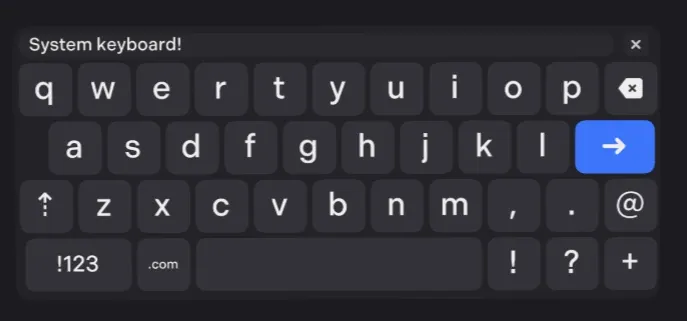
// the keyboard will show in front of you
world.ui.keyboard.show();

// Override the onPress callback
world.ui.keyboard.onPress = (value) => {
  this.text.set(value);
  // value is equal to world.ui.keyboard.value
};

// Override function which is called when the enter key is pressed
world.ui.keyboard.enter = () => {
  this.saveData(world.ui.keyboard.value);
  world.ui.keyboard.hide();
};

// Clear the keyboard
world.ui.keyboard.reset();
Numpad
// The same for numpad
world.ui.numpad.show();